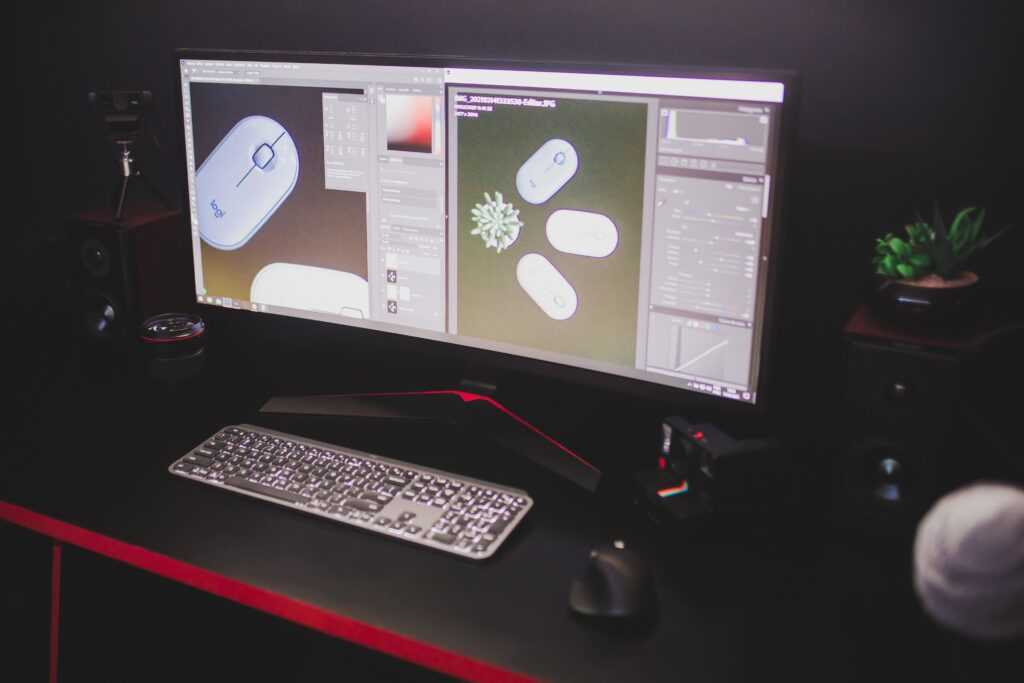
Let’s be honest. Photo editing’s always been kind of a pain. AI has totally changed how people create and tweak digital images, though. Traditional editing usually means knowing your way around a bunch of stuff. Layers. Masks. Colour adjustments. Retouching tools. Other technical controls, too. Exhausting, right? AI-assisted editing brings a whole new approach. You just describe the change you want. In plain, everyday words. Then an image model figures out what you meant.
This is a big win for creators who need to test visual ideas fast. No rebuilding an image from scratch. Nope. You can start with an existing photo, illustration, or design. Then just ask for specific changes. Easy.
What Is AI-Powered Image Editing?
So what’s AI image editing, really? It mixes computer vision, generative models, and plain-language instructions. The system analyses your existing image. Then it tries to understand what’s in it. Objects. People. Backgrounds. Colours. Lighting. And composition.
Picture this. You upload a photo of a room. Then you ask for a brighter wall colour. But you want the furniture and perspective left alone. The model creates a revised version based on that. Done.
Here’s the deal. That’s different from regular editing because you don’t have to select every pixel by hand. But AI editing isn’t totally automatic. Or guaranteed to be precise. Not even close. So check results carefully. Especially when important visual details need to stay exactly the same.
The Role of Natural-Language Prompts
One of the biggest game-changers in AI editing? Text prompts. A prompt can describe the subject. The change you want. Lighting. Composition. Colour palette. Or art style.
Good instructions are specific. Not vague. Instead of saying “make this image better,” spell it out. What exactly needs changing? And what should stay untouched? “Make it better” doesn’t give the AI much to work with, right?
For example, a useful instruction might point out an object by where it sits. Describe the change you want. And mention the nearby details that should be kept. That makes it way easier to judge if you got what you wanted.
Prompt-based systems can make brand-new images, too. Not just edit old ones. Text-to-image workflows let you start with just an idea. Then build a visual concept. No need to snap or find a photo first.
Exploring Modern AI Image Editors
The growing buzz around tools like the Nano Banana 2.5 photo editing tool shows a bigger shift. Toward chatty, conversational image creation and editing. These systems let you explore visual ideas through written instructions. While mixing generation with more traditional design processes.
Oh, and here’s something worth knowing. Model names aren’t the same as the platforms that give you access to them. “Nano Banana 2.5” is usually tied to Google’s image-model naming. But individual creative platforms might offer their own AI image-generation and editing workflows. And what’s available, or which models you can access? That can change over time, too.
So for most people, the real question isn’t the model’s name. It’s simpler than that. Can the workflow actually get the result you need? While keeping the important details safe?
Image-to-Image Editing and Reference Photos
Image-to-image tech really shines when you’ve got a visual that needs changing. You can hand over a photo. A sketch. A product image. Or some other reference. Then describe how it should be transformed.
Possible applications include:
- Changing backgrounds
- Adjusting colours
- Exploring different artistic styles
- Removing unwanted objects
- Extending an image beyond its original boundaries
- Altering lighting or atmosphere
- Creating alternative compositions
Reference-based editing saves loads of time. Why? The original image already tells the AI about the subject and composition. But still compare the edited result with the source, though. AI systems can accidentally change stuff outside the area you asked about. Sneaky, right?
Creating Text-Rich Visuals
AI image generation is getting more useful for designs with written info, too. Posters. Social media graphics. Presentation visuals. Packaging ideas. Promo layouts. They might all need both images and text.
When generating these, it helps to be super clear. Spell out the wording. The hierarchy. Placement. Language. And how the text and images should work together. Always check generated lettering, though. Tiny spelling, spacing, or character mistakes can mess up the whole design. Don’t just trust it and move on.
After generation, regular editing tools still come in handy. For fixing typography. Tweaking alignment. Or getting the image ready for wherever it’s headed.
Choosing the Right Image Workflow
Different projects need different approaches. Text-to-image generation is great when you’ve got no visual yet. And you wanna explore an idea from a written description. Image-to-image editing makes more sense when a reference needs to guide the result.
For example, someone building a storyboard might start with text prompts. To explore a bunch of scenes. A photographer, on the other hand, might want to keep an existing subject. While switching up the background or the overall vibe.
Modern creative platforms can mix these approaches with other editing tricks, too. Cropping. Resizing. Background removal. Inpainting. Upscaling. And more.
Why Reviewing AI-Generated Images Matters
Treat AI results as drafts. Until you’ve checked them properly. An image might look convincing at first glance. But still hide some sneaky little problems.
Common spots to check? Facial features. Hands. Product shapes. Logos. Text. Shadows. Reflections. Perspective. And tiny background objects. These details matter a lot. Especially when the image is used for education, business communication, publishing, or product presentation.
So a smart editing process goes in rounds. Create a first version. Spot one problem. Tweak the instruction. Then compare the new result with the original. Oh, and keep the source image and earlier versions, too. That makes undoing unwanted changes way easier. Trust me.
The Future of AI-Assisted Visual Creation
AI image editing is heading toward workflows where generation and traditional design live side by side. It’s not about replacing every regular editing technique. Nope. AI just gives you another way to handle repetitive tasks. And explore creative possibilities.
The best approach depends on the project. A simple prompt might be enough for playing around. Professional work, though? That might need several revisions. And careful manual tweaks.
As this tech keeps growing, some skills will matter just as much as knowing which AI model or platform you’re using. Writing precise instructions. Keeping important visual info safe. And reviewing generated results with a critical eye.
 Noralia Norricsona writes the kind of business trends and insights content that people actually send to each other. Not because it's flashy or controversial, but because it's the sort of thing where you read it and immediately think of three people who need to see it. Noralia has a talent for identifying the questions that a lot of people have but haven't quite figured out how to articulate yet — and then answering them properly.
They covers a lot of ground: Business Trends and Insights, Financial Planning Essentials, Effective Marketing Techniques, and plenty of adjacent territory that doesn't always get treated with the same seriousness. The consistency across all of it is a certain kind of respect for the reader. Noralia doesn't assume people are stupid, and they doesn't assume they know everything either. They writes for someone who is genuinely trying to figure something out — because that's usually who's actually reading. That assumption shapes everything from how they structures an explanation to how much background they includes before getting to the point.
Beyond the practical stuff, there's something in Noralia's writing that reflects a real investment in the subject — not performed enthusiasm, but the kind of sustained interest that produces insight over time. They has been paying attention to business trends and insights long enough that they notices things a more casual observer would miss. That depth shows up in the work in ways that are hard to fake.
Noralia Norricsona writes the kind of business trends and insights content that people actually send to each other. Not because it's flashy or controversial, but because it's the sort of thing where you read it and immediately think of three people who need to see it. Noralia has a talent for identifying the questions that a lot of people have but haven't quite figured out how to articulate yet — and then answering them properly.
They covers a lot of ground: Business Trends and Insights, Financial Planning Essentials, Effective Marketing Techniques, and plenty of adjacent territory that doesn't always get treated with the same seriousness. The consistency across all of it is a certain kind of respect for the reader. Noralia doesn't assume people are stupid, and they doesn't assume they know everything either. They writes for someone who is genuinely trying to figure something out — because that's usually who's actually reading. That assumption shapes everything from how they structures an explanation to how much background they includes before getting to the point.
Beyond the practical stuff, there's something in Noralia's writing that reflects a real investment in the subject — not performed enthusiasm, but the kind of sustained interest that produces insight over time. They has been paying attention to business trends and insights long enough that they notices things a more casual observer would miss. That depth shows up in the work in ways that are hard to fake.